What Is a GitHub Actions Supply Chain Attack?
Before we get into Trivy specifically, let’s establish the threat model.
GitHub Actions is GitHub’s CI/CD platform. Workflows are defined in YAML files that live in your repository under .github/workflows/. Those workflows call Actions — reusable components that do specific tasks: checkout code, set up language environments, run tests, scan for vulnerabilities.
Actions are just code that runs in your pipeline. You reference them like this:
- uses: aquasecurity/trivy-action@v0.20.0
That line says: pull the trivy-action from Aqua Security’s GitHub repository at the tag v0.20.0, and run it.
Here’s the security assumption baked into that syntax: the code at v0.20.0 today is the same code that was there when the tag was created.
That assumption is wrong. Git tags are mutable. They can be force-pushed to point to different commits. The tag v0.20.0 is just a named pointer — and anyone with write access to the repository can move that pointer.
This is the attack surface TeamPCP exploited.
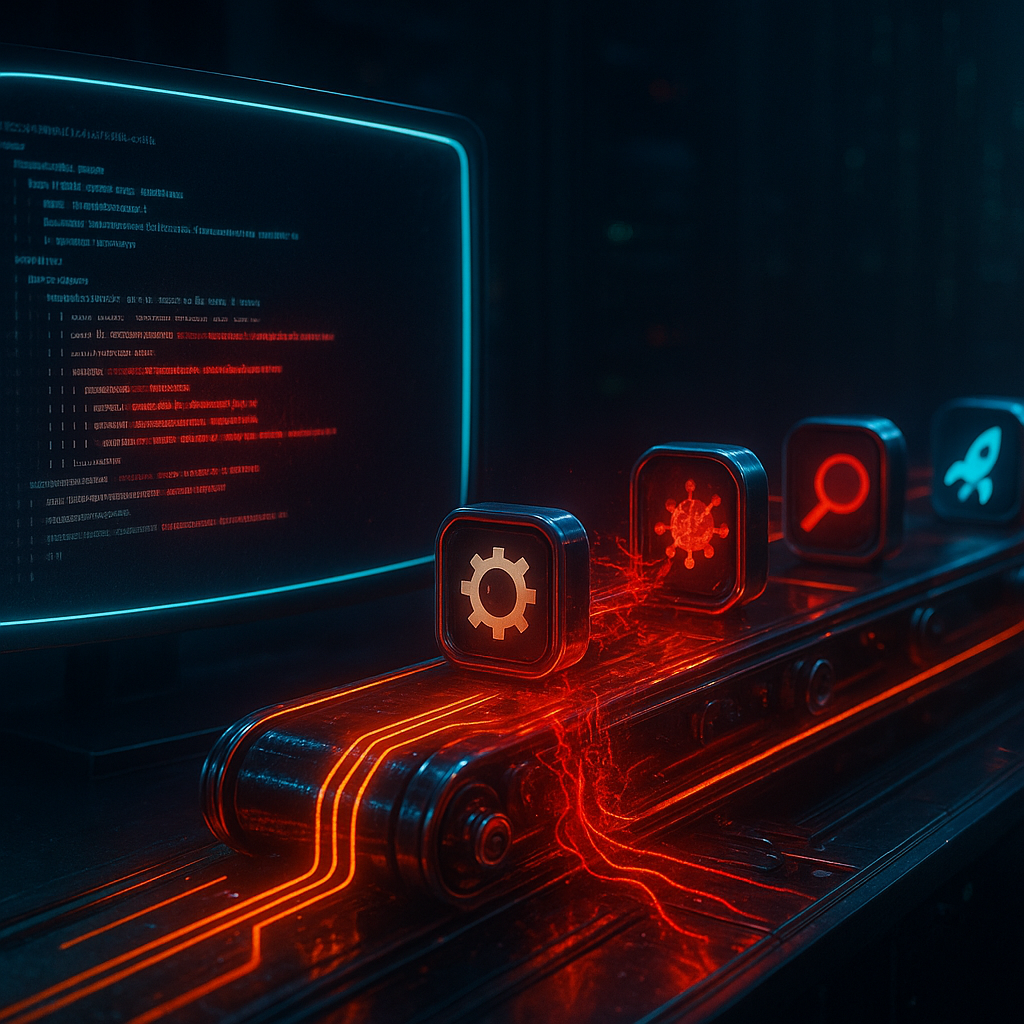
The Attack Chain, Step by Step
- TeamPCP gains access to Aqua Security’s
trivy-actionGitHub repository (and related Trivy GitHub Action repos) - They craft malicious commits — small additions to the Action’s entrypoint or composite workflow steps that execute TeamPCP Cloud Stealer alongside normal functionality
- They force-push to 76 of 77 version tags — overwriting the legitimate code at nearly every pinned version reference
- Any pipeline that runs with those tags now silently executes the infostealer alongside Trivy’s normal scan
- TeamPCP Cloud Stealer harvests environment variables, secrets, tokens, and credentials available to the pipeline process
- Stolen credentials are exfiltrated to attacker-controlled infrastructure
- Attacker uses Cisco’s credentials to authenticate to Cisco’s internal GitHub organization and development environment
- 300+ repositories are cloned, AWS keys are used, and the breach is complete
The attack was self-limiting in time — once the malicious tags were detected and the repositories were cleaned up, new pipeline runs would be safe. But the damage from the hours or days the malicious tags were live had already propagated.
Why Trivy Was Such a High-Value Target
Not every GitHub Action is equal from an attacker’s perspective. Trivy was particularly valuable because:
1. It runs with access to secrets. Trivy scans container images, filesystems, and IaC configurations. To do this in CI/CD pipelines, it often needs credentials: container registry auth tokens, cloud provider credentials for scanning cloud assets, GitHub tokens for private repository access. All of this is sitting in the pipeline’s environment when Trivy executes.
2. It’s used at a critical pipeline stage. Security scanning tools typically run after build but before deploy. At that point, the pipeline often has access to artifact registries, deployment credentials, and signing keys. Trivy runs exactly when the pipeline is most credential-rich.
3. Market penetration is massive. Trivy has millions of downloads and is integrated into tens of thousands of CI/CD pipelines. A single repository compromise has enormous blast radius.
4. It’s trusted. Developers don’t scrutinize their security scanner. The psychological irony is perfect: the tool you use to find malicious code became the vector for malicious code.
What TeamPCP Cloud Stealer Actually Does
Based on available analysis, TeamPCP Cloud Stealer is designed specifically for CI/CD credential harvesting. Its targets include:
- Environment variables — where secrets are typically injected in GitHub Actions (
${{ secrets.MY_SECRET }}resolves to an env var) - AWS credential files —
~/.aws/credentialsand~/.aws/config - Cloud provider CLI config files — GCP application default credentials, Azure CLI tokens
- GitHub tokens — including
GITHUB_TOKEN(the automatically provisioned token for each workflow run) - SSH keys — in the runner’s home directory
- Docker credential helpers — auth tokens for container registries
.envfiles — if any are present in the checked-out repository
The stealer runs as a subprocess, performs its harvest, and exfiltrates the data via an HTTPS POST to an attacker-controlled endpoint before deleting itself. Because it piggybacks on a legitimate tool’s execution, the pipeline succeeds and logs look normal.
How to Tell If Your Pipeline Was Affected
If you ran Trivy GitHub Actions on or around March 19, 2026, here’s your investigation checklist.
Step 1: Identify Affected Workflow Runs
Search your GitHub Actions run history for Trivy executions during the exposure window:
# Using GitHub CLI
gh run list --repo your-org/your-repo \
  --workflow "*.yml" \
  --created "2026-03-18..2026-03-21" \
  --json databaseId,name,status,createdAt \
  | jq '.[] | select(.name | test("trivy|scan|security"; "i"))'
Or use the GitHub API directly:
curl -H "Authorization: Bearer $GITHUB_TOKEN" \
  "https://api.github.com/repos/YOUR_ORG/YOUR_REPO/actions/runs?created=%3E2026-03-18&per_page=100" \
  | jq '.workflow_runs[] | {id, name, created_at, conclusion}'
Step 2: Audit What Secrets Were Available
For each affected workflow run, review what secrets were mapped into the environment. Check your workflow YAML files for env: blocks and ${{ secrets.* }} references:
# Example: if your workflow had this during the exposure window,
# those secrets were potentially harvested
jobs:
  scan:
    steps:
      - uses: aquasecurity/trivy-action@v0.20.0  # Compromised tag
        env:
          AWS_ACCESS_KEY_ID: ${{ secrets.AWS_ACCESS_KEY_ID }}
          AWS_SECRET_ACCESS_KEY: ${{ secrets.AWS_SECRET_ACCESS_KEY }}
Step 3: Check Cloud Provider Logs
For every cloud credential that was available in those pipelines:
AWS:
# Check CloudTrail for activity from your CI/CD's assumed role or access key
aws cloudtrail lookup-events \
  --lookup-attributes AttributeKey=AccessKeyId,AttributeValue=AKIAXXXXXXXXXXXXXXXX \
  --start-time 2026-03-18T00:00:00Z \
  --end-time 2026-03-22T00:00:00Z \
  | jq '.Events[] | {EventTime, EventName, SourceIPAddress, Username}'
Look for calls from unusual IP addresses, unusual regions, or unusual API calls like ec2:DescribeInstances from a build server that normally only pushes to S3.
GCP:
# Filter audit logs for your service account
gcloud logging read \
  'protoPayload.authenticationInfo.principalEmail="ci-cd@your-project.iam.gserviceaccount.com"
   AND timestamp >= "2026-03-18T00:00:00Z"
   AND timestamp <= "2026-03-22T00:00:00Z"' \
  --format json | jq '.[] | {timestamp: .timestamp, method: .protoPayload.methodName, ip: .protoPayload.requestMetadata.callerIp}'
Step 4: Rotate Everything
Even if you don’t find evidence of abuse, rotate immediately if those credentials were present in a pipeline that ran compromised Trivy:
# AWS: Create new access key, update secrets, then delete old key
aws iam create-access-key --user-name ci-cd-user
# Update GitHub secret with new key
gh secret set AWS_ACCESS_KEY_ID --body "NEW_KEY_HERE" --repo your-org/your-repo
gh secret set AWS_SECRET_ACCESS_KEY --body "NEW_SECRET_HERE" --repo your-org/your-repo
# Delete old key
aws iam delete-access-key --user-name ci-cd-user --access-key-id OLD_KEY_ID
The Developer’s Hardening Guide: Preventing This Class of Attack
This attack was preventable. Here are the defenses that would have neutralized it.
Defense 1: Pin Actions to Commit SHAs (Not Tags)
This is the single most important change you can make right now. Tags are mutable; commit SHAs are not. A SHA points to exactly one state of the code, forever.
Vulnerable (what most people write):
- uses: aquasecurity/trivy-action@v0.20.0
Hardened (what you should write):
# Pin to the specific commit SHA of v0.20.0
# SHA is immutable - if someone moves the tag, this still runs the original code
- uses: aquasecurity/trivy-action@a20c1a3e8883b77e2f80f7c44f47f1f35f49b943
To find the SHA for a tag:
# Get the commit SHA for a specific tag
git ls-remote https://github.com/aquasecurity/trivy-action refs/tags/v0.20.0
# Or using GitHub API
curl https://api.github.com/repos/aquasecurity/trivy-action/git/ref/tags/v0.20.0 \
  | jq '.object.sha'
Automate SHA pinning with pin-github-action:
# Install the tool
pip install pin-github-action

# Automatically pin all Actions in your workflow files to SHAs
pin-github-action .github/workflows/
Or use Dependabot with SHA pinning to keep your pinned Actions up-to-date:
# .github/dependabot.yml
version: 2
updates:
  - package-ecosystem: "github-actions"
    directory: "/"
    schedule:
      interval: "weekly"
    # This will suggest SHA-pinned updates
Defense 2: Use OIDC Instead of Long-Lived Credentials
The Cisco breach was amplified by the presence of long-lived AWS access keys in CI/CD pipeline secrets. Those keys, once stolen, work indefinitely until rotated. OIDC tokens, by contrast, are short-lived and scoped to a specific workflow run.
Replace long-lived AWS credentials with OIDC:
# .github/workflows/deploy.yml
jobs:
  deploy:
    runs-on: ubuntu-latest
    permissions:
      id-token: write   # Required for OIDC
      contents: read
    steps:
      - name: Configure AWS credentials via OIDC
        uses: aws-actions/configure-aws-credentials@v4
        with:
          role-to-assume: arn:aws:iam::123456789012:role/GitHubActionsRole
          aws-region: us-east-1
          # No access key/secret needed — GitHub mints a short-lived token
AWS IAM role trust policy for GitHub OIDC:
{
  "Version": "2012-10-17",
  "Statement": [
    {
      "Effect": "Allow",
      "Principal": {
        "Federated": "arn:aws:iam::123456789012:oidc-provider/token.actions.githubusercontent.com"
      },
      "Action": "sts:AssumeRoleWithWebIdentity",
      "Condition": {
        "StringEquals": {
          "token.actions.githubusercontent.com:aud": "sts.amazonaws.com"
        },
        "StringLike": {
          "token.actions.githubusercontent.com:sub": "repo:your-org/your-repo:*"
        }
      }
    }
  ]
}
With OIDC, even if TeamPCP Cloud Stealer harvests the token, it expires within minutes and is scoped only to that specific repository and workflow. The stolen credential is worthless before the attacker can use it.
Defense 3: Restrict Workflow Permissions
By default, GITHUB_TOKEN in a workflow has broad permissions. Scope it down:
# Set least-privilege permissions at the workflow level
# Then grant additional permissions only in specific jobs
permissions:
  contents: read    # Can read repo contents
  # All other permissions are implicitly denied

jobs:
  build:
    permissions:
      contents: read
      packages: write   # Only this job needs to push packages
    steps:
      # ...

  security-scan:
    permissions:
      contents: read
      security-events: write  # Only what trivy needs to post results
    steps:
      - uses: aquasecurity/trivy-action@PINNED_SHA
Also configure this at the organization level in GitHub Settings → Actions → General → Workflow permissions → “Read repository contents and packages permissions.”
Defense 4: Implement an Actions Allowlist
Rather than allowing workflows to call any Action from any GitHub repository, restrict to an approved list:
In GitHub Settings → Actions → General → Actions permissions:
- Select “Allow select actions and reusable workflows”
- Add only the specific Actions your organization needs
- Review the list quarterly
For organizations with strict security requirements, consider self-hosting critical Actions in your own GitHub organization so you control the code:
# Instead of a third-party action:
- uses: aquasecurity/trivy-action@HASH

# Use your org's vetted fork:
- uses: your-org/trivy-action@HASH  # Internal fork you control
Defense 5: Secrets Scanning and Monitoring
Implement monitoring to detect credential exfiltration attempts:
GitHub’s built-in secret scanning:
# .github/workflows/secret-scan.yml
# GitHub Secret Scanning is a repository setting, not a workflow
# Enable it at: Settings → Security → Secret scanning
# Also enable "Push protection" to block secrets before they're committed
Detect outbound connections from runners: If you’re using self-hosted runners, monitor for unexpected outbound connections:
jobs:
  scan:
    runs-on: self-hosted
    steps:
      - name: Start network monitoring
        run: |
          # Log all outbound connections during the scan
          sudo tcpdump -i any -w /tmp/pipeline-network.pcap &
          echo "TCPDUMP_PID=$!" >> $GITHUB_ENV

      - uses: your-org/trivy-action@PINNED_SHA

      - name: Stop monitoring and review
        run: |
          sudo kill $TCPDUMP_PID
          # Alert if connections to unexpected domains detected
          sudo tcpdump -r /tmp/pipeline-network.pcap -n 'not (port 443 and (host known-registry.example.com))'
Defense 6: Workflow Integrity Checks
Add a step to verify the SHA of any Action before executing it:
- name: Verify Action integrity
  run: |
    # Verify the trivy-action is the expected SHA
    EXPECTED_SHA="a20c1a3e8883b77e2f80f7c44f47f1f35f49b943"
    ACTUAL_SHA=$(git ls-remote https://github.com/aquasecurity/trivy-action HEAD | cut -f1)
    # For pinned SHAs, the runner will have already checked out the correct commit
    # This step is a belt-and-suspenders check for composite actions
    echo "Action integrity check: expected $EXPECTED_SHA"
The TeamPCP Threat Pattern: Know Your Enemy
Understanding TeamPCP helps you prioritize which tools in your stack to audit. Their pattern is consistent:
| Target | Attack Method | Impact |
|---|---|---|
| Trivy GitHub Actions | Force-push to version tags | Credential harvest from CI/CD |
| LiteLLM (npm) | Malicious package version | AI platform credential theft, Mercor breach |
| Checkmarx KICS | GitHub Action compromise | IaC scanner turned credential harvester |
| PyPI (Telnyx package) | WAV file steganography | Hidden payload in media asset |
| Docker Hub images | Trojanized base images | Supply chain in container ecosystem |
See also: Our previous coverage on the LiteLLM attack: How the LiteLLM Supply Chain Attack Led to the Mercor Breach
The common thread: TeamPCP targets developer security tools and foundational dependencies — the things that run with elevated permissions and that developers trust implicitly. The more “meta” the tool (a security scanner, an AI framework, a base image), the higher its value as an attack vector.
What to Audit in Your Stack Right Now
- All GitHub Actions in your workflows — check for mutable tag references, update to SHA pins
- Security tools running in CI/CD — scanners, linters, SAST tools — these have the most access
- Base container images — are you pulling
tool:latestor pinned digests? - npm/PyPI packages — especially those with CI/CD integrations
- AI/LLM framework dependencies — this is an emerging attack surface TeamPCP is actively targeting
Hardening Checklist: CI/CD Security in 2026
Use this as your checklist. Each item addresses a specific failure mode demonstrated in the Trivy/Cisco attack.
Immediate actions (do today):
- Audit all
.github/workflows/*.ymlfiles foruses: action@tagreferences - Convert all Action references to SHA pins
- Enable GitHub’s Secret Scanning and Push Protection on all repositories
- Review what secrets are mapped into each workflow job
- Rotate any credentials that were present in pipelines during the March 19, 2026 exposure window
Short-term (this sprint):
- Migrate from long-lived cloud credentials to OIDC in GitHub Actions
- Set explicit
permissions:blocks on all workflows (deny by default) - Enable Actions allowlist in GitHub organization settings
- Set up Dependabot for GitHub Actions to surface SHA-pinned updates
- Review self-hosted runner permissions and network access
Medium-term (this quarter):
- Fork critical third-party Actions into your organization for internal hosting
- Implement network egress monitoring on CI/CD runners
- Set up alerts for new GitHub Actions added to workflow files (treat as code review)
- Establish incident response playbook for “CI/CD compromise” scenario
- Conduct tabletop exercise simulating a supply chain attack on your pipeline
Ongoing:
- Subscribe to security advisories for every Action in your allowlist
- Quarterly review of workflow permissions and secret usage
- Monitor GitHub’s security blog and OSSF Scorecard for dependency health signals
The Broader Lesson: Your Pipeline Is an Attack Surface
The most important mindset shift this incident demands: your CI/CD pipeline is not a safe zone, it’s an attack surface.
Developers often think about security in terms of the code they write and the infrastructure they deploy. The pipeline that transforms one into the other is frequently an afterthought. But that pipeline:
- Has access to your most sensitive secrets
- Runs code from third parties (Actions, packages, base images) with implicit trust
- Executes with permissions that production workloads don’t have
- Is often excluded from the security review processes that apply to application code
TeamPCP understands this. Their entire strategy is predicated on the fact that developers trust their tools more than they should.
The Cisco breach started not with a sophisticated zero-day, not with a nation-state actor’s custom implant, but with a flag in a YAML file:
- uses: aquasecurity/trivy-action@v0.20.0
One line. Mutable reference. No SHA. No integrity verification. Trusted implicitly.
Twelve characters of a commit SHA would have stopped it:
- uses: aquasecurity/trivy-action@a20c1a3e8883b77e2f80f7c44f47f1f35f49b943
That’s the lesson. It’s a small fix with outsized impact. Make it today.
Sources: BleepingComputer, AppOmni AO Labs — Trivy Compromise Analysis, CyberSecurityNews