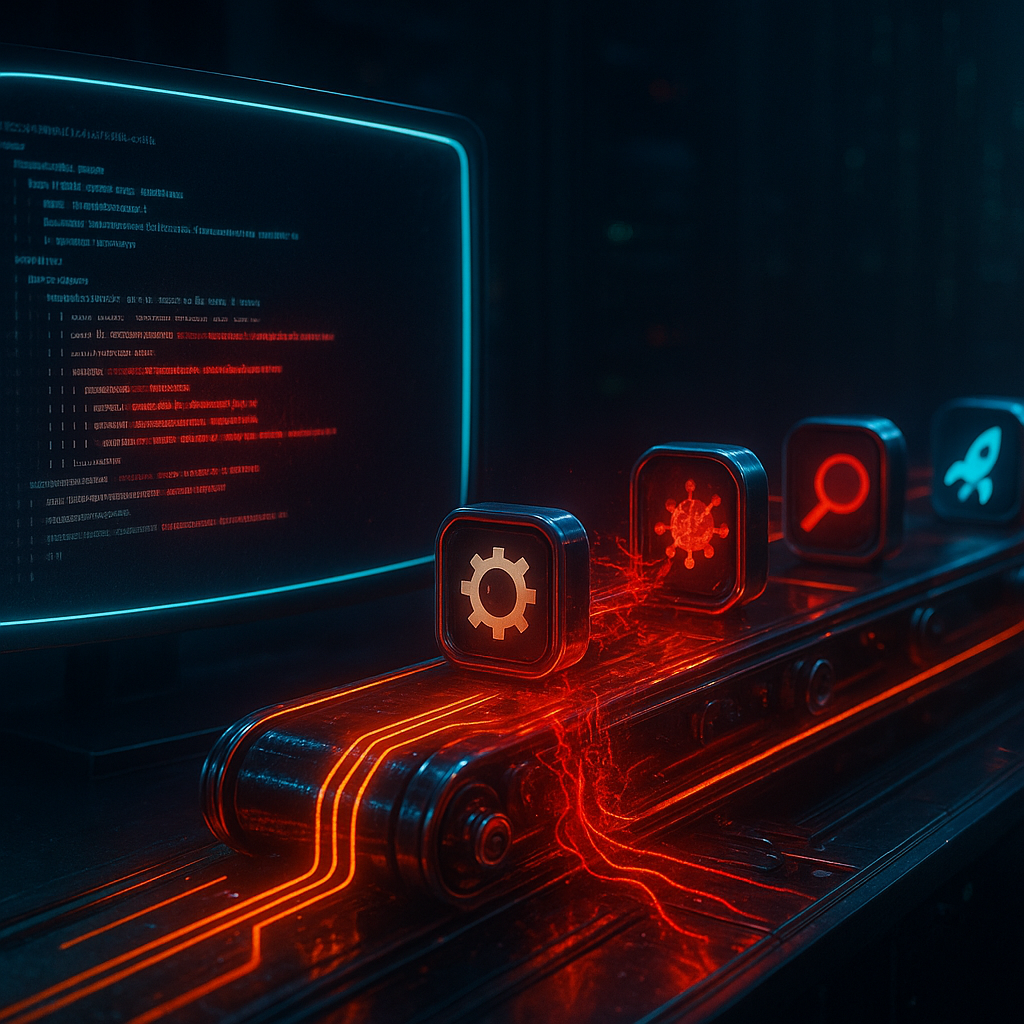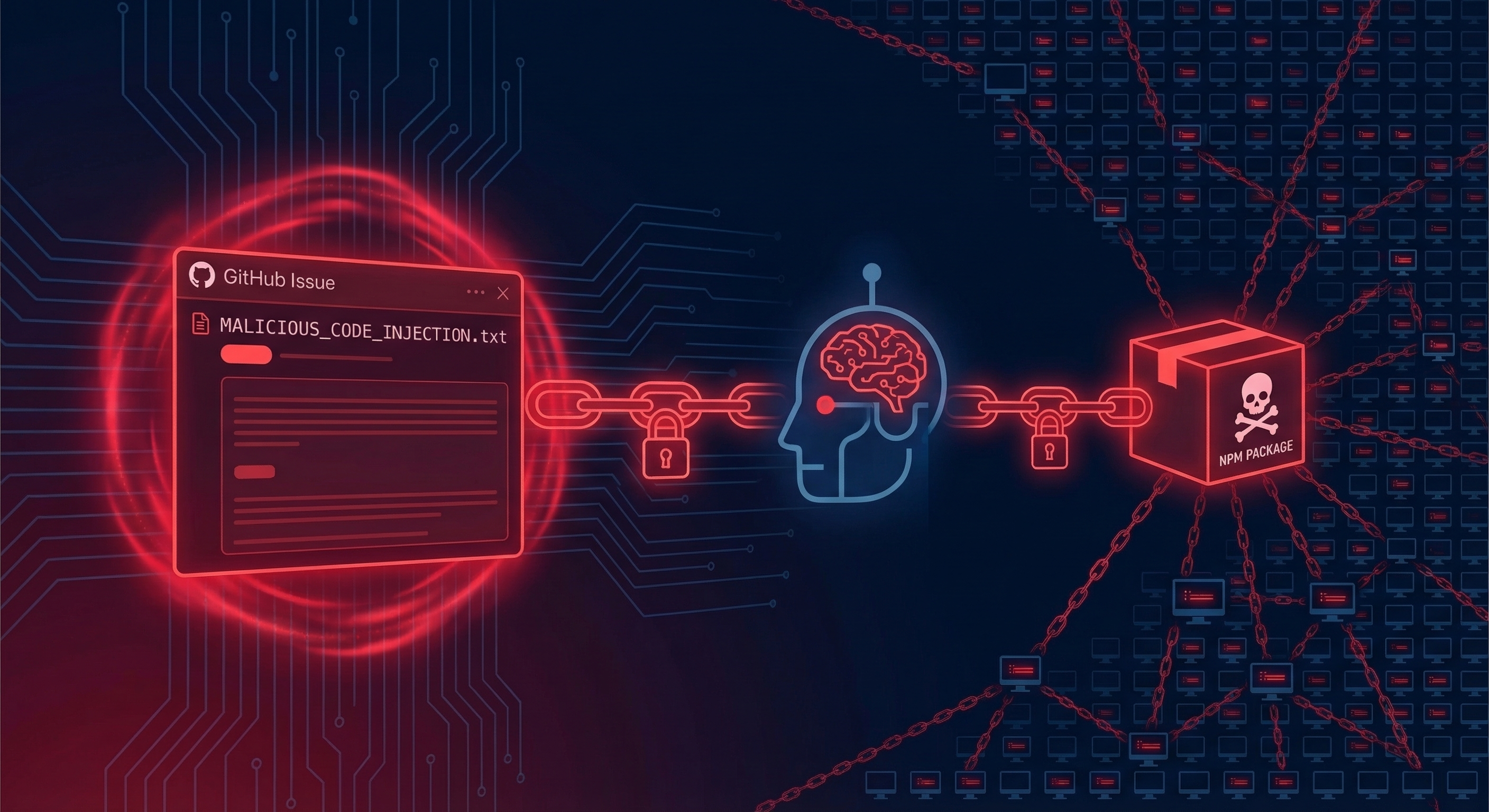
On March 31, 2026, a threat actor group called TeamPCP planted malicious code inside the npm package for LiteLLM — one of the most widely used open-source AI gateway libraries on the planet, downloaded millions of times per day. Within hours, the code had propagated into thousands of downstream applications. Mercor, a $10 billion AI recruiting startup that works directly with OpenAI and Anthropic, confirmed it was among the victims.
Then Lapsus$ showed up, claiming they’d obtained Slack data, ticketing data, and video clips of Mercor’s AI interactions with contractors — including doctors, lawyers, and scientists receiving over $2 million in daily payouts from the platform.
Let that sink in for a second. A malicious npm package in a popular AI library led to the potential exposure of confidential AI interaction data at one of the most sensitive AI employment platforms on the internet.
This isn’t a data breach in the traditional sense. Nobody broke into Mercor’s fortress. The attack came in through the supply chain — through a dependency Mercor trusted, which itself trusted an npm package, which turned out to be poisoned.
Welcome to the new attack surface: your AI’s dependencies.
What Is LiteLLM and Why Does It Matter?
If you’re building AI applications in 2026, there’s a good chance LiteLLM is somewhere in your stack — or in the stack of a library you’re using.
LiteLLM is an open-source Python/Node library that acts as a universal API gateway for large language models. Instead of writing separate integration code for OpenAI, Anthropic, Cohere, Mistral, Ollama, and a dozen other providers, you write code once using LiteLLM’s unified interface and it handles the translation. It supports:
- 100+ LLM providers — GPT-4o, Claude 3.7, Gemini 2.0, Llama 3, and more
- Drop-in OpenAI compatibility so existing OpenAI code works with any model
- Load balancing and fallbacks across providers
- Rate limiting, spend tracking, and cost management
- Proxy server deployment for enterprise multi-model routing
It’s the kind of foundational plumbing that ends up in production applications everywhere. Major enterprises, AI startups, and individual developers all use it. That “millions of downloads per day” figure isn’t hype — it reflects genuine ubiquity.
And that ubiquity is exactly what made it such an attractive target.
What TeamPCP Did: The Technical Breakdown
The LiteLLM attack followed the classic software supply chain compromise playbook, but adapted for the AI toolchain era.
The Attack Vector: npm Package Poisoning
TeamPCP’s method involved injecting malicious code into LiteLLM’s npm package distribution. The exact insertion mechanism is still under investigation, but supply chain compromises typically occur through one of these vectors:
- Maintainer account takeover — Attacker compromises the credentials of an npm maintainer account and publishes a malicious version
- Dependency confusion — Attacker publishes a package with the same name as a private internal package, exploiting npm’s resolution priority
- Typosquatting — Attacker publishes a package with a name nearly identical to a legitimate package (e.g.,
lite-llmvslitellm) - Build pipeline compromise — Attacker gains access to the CI/CD pipeline and injects code during the build and publish process
In LiteLLM’s case, the malicious code was identified and removed within hours — a sign that their incident response was reasonably swift. But “removed from the registry” doesn’t help the thousands of applications that had already downloaded and cached the malicious version. In many containerized and Kubernetes deployments, package downloads are cached in Docker layers, artifact registries, or CI caches. The poisoned version persisted in those environments even after the npm registry was clean.
What the Malicious Code Did
While the full forensic details of TeamPCP’s payload haven’t been publicly released, malicious npm packages in supply chain attacks typically execute one or more of the following:
- Exfiltrate environment variables — API keys, database credentials, cloud provider tokens, and secrets stored in
process.envare sent to attacker-controlled infrastructure - Steal secrets from common config files —
.envfiles, AWS credential files (~/.aws/credentials), SSH keys - Establish reverse shells or backdoors — Install persistent access that survives package updates
- Modify runtime behavior — Intercept API calls, log request/response data (including LLM prompts and completions), or inject malicious instructions into AI-routed requests
Given that LiteLLM sits between the application and the LLM providers, a compromised LiteLLM could theoretically intercept and log every AI prompt and response flowing through it. For a company like Mercor — where those prompts involve AI interviews and technical assessments of medical professionals, lawyers, and scientists — that’s extraordinarily sensitive data.
What Lapsus$ Claims They Got
The extortion group Lapsus$ (whose members have faced criminal charges in multiple countries, though the group continues to operate) claimed responsibility and leaked samples containing:
- Slack data — Internal communications from Mercor employees
- Ticketing data — Support or operational tickets, potentially revealing internal processes and customer issues
- Video clips of AI interactions — Recordings of Mercor’s AI interview system interacting with contractor candidates
Mercor confirmed it was “one of thousands of companies” affected, suggesting the attack was broad rather than targeted. The Lapsus$ involvement may represent opportunistic exploitation of data exfiltrated by TeamPCP’s original campaign.
It’s worth noting that Lapsus$ claiming credit doesn’t definitively mean they were involved in the initial compromise. The group has a pattern of claiming breaches and acquiring stolen data from other threat actors.
Why This Is the Log4j Moment for AI Tooling
The Log4j vulnerability (CVE-2021-44228) became infamous not because it was an obscure bug — it was catastrophic precisely because Log4j was everywhere, deeply embedded in Java applications that weren’t even aware they were using it. Patching it required finding every application that transitively depended on it, often buried three or four layers deep in the dependency graph.
The LiteLLM attack has the same structural characteristics:
Ubiquity: LiteLLM is downloaded millions of times per day and powers AI routing in applications across industries. Many of those applications are themselves dependencies of other applications.
Opacity: Do you know every AI library in your production environment? Do you know what npm packages those libraries depend on? What about the packages those packages depend on? The dependency graph for a typical AI application can be hundreds of nodes deep.
Trust inheritance: When you import LiteLLM, you’re implicitly trusting not just LiteLLM’s code, but every package LiteLLM depends on, and every package those packages depend on. A compromised package at any point in that graph can affect everything above it.
Speed of propagation: npm’s default behavior is to fetch the latest version of a package unless you’ve pinned specific versions. A malicious package published at 9am can be running in production deployments worldwide by 10am.
The difference with AI supply chains is the sensitivity of what’s flowing through them. Your web application’s Log4j vulnerability might have exposed server logs or internal metadata. A compromised AI gateway exposes every prompt — medical questions, legal queries, financial requests, personal conversations — flowing through your AI application.
Mercor: The $10 Billion Collateral Victim
Mercor deserves more than a footnote here. This is a company that:
- Is valued at $10 billion (a staggering valuation for an AI-era recruiting startup)
- Works directly with OpenAI and Anthropic on AI training data collection
- Facilitates $2 million+ in daily payouts to domain experts including doctors, lawyers, and scientists worldwide
- Operates an AI interview system that conducts technical assessments
The nature of Mercor’s business means the exposed data isn’t just business records — it’s potentially sensitive AI interaction logs from professionals in highly regulated fields. A doctor discussing medical scenarios in an AI interview. A lawyer talking through legal hypotheticals. A scientist describing research processes.
Mercor stated it was “one of thousands of companies” affected — trying to contextualize the breach as an industry-wide supply chain incident rather than a targeted attack. That’s arguably true, but it doesn’t reduce the severity of what may have been exposed.
One notable aftermath: LiteLLM dropped their compliance partner Delve and moved to Vanta following the incident. Delve had been handling LiteLLM’s security compliance program. Whether this was a direct consequence of the breach or a pre-planned decision accelerated by the incident, the signal is clear: their existing compliance tooling failed to prevent or detect the compromise.
What Developers Must Do Right Now
If you’re building anything that touches AI libraries, this section is your checklist. Do not skip any of these steps.
1. Audit Your Current Dependency Tree Immediately
You need to know what you’re running before you can protect it.
For npm/Node.js projects:
# Generate a full dependency tree
npm ls --all

# Check for known vulnerabilities
npm audit

# More detailed audit with JSON output
npm audit --json | jq '.vulnerabilities | keys'

# Use a dedicated supply chain tool
npx better-npm-audit audit
For Python projects (pip/uv):
# List all installed packages with versions
pip freeze > requirements-current.txt

# Check for known vulnerabilities using pip-audit
pip install pip-audit
pip-audit

# Or use safety
pip install safety
safety check
For mixed language monorepos:
# Snyk works across multiple package managers
npm install -g snyk
snyk test --all-projects
Look specifically for: litellm, openai, anthropic, langchain, llamaindex, and any AI gateway or routing library. These are high-value supply chain targets.
2. Pin Your Dependencies (Lockfiles Are Not Optional)
If you’re not using lockfiles, you’re importing whatever the npm registry decides to serve you at build time.
npm:
# Ensure package-lock.json is committed to git
git add package-lock.json

# Use --frozen-lockfile in CI to fail if lockfile is out of sync
npm ci  # This is the CI-safe alternative to npm install
Python (pip):
# Generate a pinned requirements file
pip freeze > requirements.txt

# Use pip-compile for better dependency management
pip install pip-tools
pip-compile requirements.in  # Generates fully-pinned requirements.txt
Python (uv — the new hotness):
# uv generates a lockfile by default
uv lock
uv sync --frozen  # Use in CI — fails if lockfile doesn't match
Critical: Commit your lockfile. Review lockfile changes in pull requests. A lockfile change that wasn’t triggered by an intentional dependency update is a red flag.
3. Implement Subresource Integrity Checks
For packages you absolutely must pin to specific known-good versions, you can verify the integrity hash:
npm package integrity:
# Check the integrity hash of an installed package
cat node_modules/litellm/package.json | jq '.integrity'

# Verify against npm registry
npm view litellm dist.integrity
Python package hash verification (pip):
# Install with hash checking
pip install --require-hashes -r requirements.txt

# In requirements.txt format:
# litellm==1.30.0 \
#     --hash=sha256:abc123...
4. Generate and Maintain a Software Bill of Materials (SBOM)
An SBOM is a machine-readable inventory of all components in your software, including transitive dependencies. It’s become a compliance requirement for US government vendors (Executive Order 14028) and is increasingly expected in enterprise security programs.
Generate an SBOM for your project:
# Using Syft (excellent multi-language SBOM generator)
curl -sSfL https://raw.githubusercontent.com/anchore/syft/main/install.sh | sh -s -- -b /usr/local/bin

# For a Node.js project directory
syft dir:. -o spdx-json > sbom.spdx.json

# For a Docker image
syft your-image:latest -o cyclonedx-json > sbom.cdx.json

# Using npm's built-in SBOM generation (npm v8+)
npm sbom --sbom-format spdx > sbom.spdx.json
Scan your SBOM for vulnerabilities:
# Using Grype (works with Syft output)
grype sbom:sbom.spdx.json

# Using OWASP Dependency-Track (enterprise SBOM management)
# https://dependencytrack.org/ — self-hosted or cloud
Your SBOM should be:
- Generated as part of every build
- Stored and versioned alongside your artifacts
- Scanned against CVE databases (NVD, OSV, GitHub Advisory Database) automatically
- Reviewed by a human when new AI dependencies are added
5. Set Up Automated Dependency Monitoring
Manual audits are a snapshot. You need continuous monitoring.
GitHub Dependabot:
# .github/dependabot.yml
version: 2
updates:
  - package-ecosystem: "npm"
    directory: "/"
    schedule:
      interval: "daily"
    open-pull-requests-limit: 10

  - package-ecosystem: "pip"
    directory: "/"
    schedule:
      interval: "daily"
Renovate Bot (more powerful alternative):
// renovate.json
{
  "extends": ["config:base"],
  "packageRules": [
    {
      "matchPackagePatterns": ["litellm", "openai", "anthropic", "langchain"],
      "automerge": false,
      "labels": ["ai-dependency", "security-review"]
    }
  ]
}
Supply chain-specific monitoring:
- Socket.dev — monitors npm packages for supply chain attacks, typosquatting, and malicious behavior specifically. Has detected many attacks before CVEs are published.
- Snyk Open Source — broad vulnerability monitoring with fix PRs
- FOSSA — enterprise-grade dependency analysis with license compliance
6. Implement Package Origin Verification
Before any new AI dependency lands in your production build, verify it:
# Check a package's publish history — sudden ownership changes are red flags
npm info litellm maintainers
npm info litellm time

# Check when a package was last published and by whom
npm view litellm dist-tags

# Inspect the published package contents before installing
npx package-inspector litellm

# Use npm's provenance verification (packages with provenance attestations)
npm install litellm --foreground-scripts
# Look for: "npm warn install Using --prefer-dedupe may reduce install size"
For the most sensitive dependencies, consider mirroring them through a private registry:
# Using Verdaccio as a private npm mirror
docker run -it --rm --name verdaccio \
  -p 4873:4873 \
  verdaccio/verdaccio

# Configure npm to use it
npm config set registry http://localhost:4873
A private registry lets you:
- Cache and pin specific package versions
- Scan packages before they’re available to your developers
- Audit every package install in your organization
7. Isolate AI Workloads at the Infrastructure Level
Even if a package is compromised, you can limit what damage it can do by controlling the environment it runs in.
Network egress controls: Your AI gateway process should only be able to talk to specific, whitelisted endpoints (the LLM provider APIs). It has no legitimate reason to make outbound connections to arbitrary infrastructure.
# Kubernetes NetworkPolicy — restrict LiteLLM pod egress
apiVersion: networking.k8s.io/v1
kind: NetworkPolicy
metadata:
  name: litellm-egress
spec:
  podSelector:
    matchLabels:
      app: litellm
  policyTypes:
  - Egress
  egress:
  - to:
    - ipBlock:
        cidr: 0.0.0.0/0
        except:
        - 10.0.0.0/8   # Block internal network access
    ports:
    - protocol: TCP
      port: 443         # Only allow HTTPS to external
Environment variable isolation: Don’t put credentials in environment variables accessible to the AI gateway process unless they’re actually needed by that process. Use secrets management systems (HashiCorp Vault, AWS Secrets Manager, Kubernetes Secrets) with least-privilege access.
Read-only filesystems:
# In your Dockerfile
USER nonroot
# Add to container security context in K8s:
# readOnlyRootFilesystem: true
A supply chain attack payload that can’t write to disk or make arbitrary network connections is severely limited in what it can do.
The SBOM Imperative for AI Applications
Software Bill of Materials deserves its own section because it’s the foundation of everything else.
The US government’s Executive Order on Improving the Nation’s Cybersecurity (EO 14028) mandated SBOMs for software sold to federal agencies. But SBOMs are valuable even if you’re not a government vendor — they’re the inventory you need to respond to incidents like this one.
When the LiteLLM incident broke, organizations with maintained SBOMs could immediately answer:
- “Do any of our applications use LiteLLM?”
- “Which version?”
- “Which services might be affected?”
Organizations without SBOMs were manually auditing code repositories and deployment manifests under incident pressure. Not fun.
SBOM for AI Applications: Special Considerations
AI applications have unusual SBOM characteristics that traditional software doesn’t have:
-
Model weights as components — If you’re running local models, the model files themselves are components with provenance. Where did they come from? Have they been tampered with? (Model watermarking and signing is an emerging space, but the risk is real.)
-
Prompt templates as code — Prompt templates are effectively code. Version control them. Track changes. A malicious prompt injection attack via a shared prompt library is a supply chain attack.
-
Fine-tuning data provenance — If your application uses fine-tuned models, the training data is part of the supply chain. Poisoned training data can produce backdoored model behavior.
-
RAG knowledge base contents — The documents in your retrieval-augmented generation (RAG) system are data that influences outputs. If an attacker can modify those documents, they can influence your AI’s behavior.
Standard SBOM tools don’t capture models, prompts, or RAG content. You need an AI-specific SBOM strategy that covers all these components — consider this emerging territory where your organization may need to define its own standards.
What Mercor’s Vendor Change Tells Us
After the breach, LiteLLM dropped Delve (their compliance partner) and moved to Vanta. This is a significant signal.
Delve was handling LiteLLM’s security compliance program — apparently including the kind of controls that should have detected or prevented a malicious package publication. The fact that the breach happened anyway, and that LiteLLM responded by changing vendors rather than simply patching procedures, suggests the compliance program wasn’t providing meaningful security assurance.
This is the “checkbox compliance” failure pattern in action. Having a compliance partner doesn’t mean you’re secure. It means someone has verified that you have documented controls. The quality and effectiveness of those controls is a separate question.
For developers using AI libraries: a vendor’s SOC 2 report or ISO 27001 certification doesn’t protect you from a supply chain attack. Those certifications audit processes and controls that existed at a point in time. They don’t continuously verify the integrity of every package version published to npm.
What actually protects you is what you control: your lockfiles, your SBOM, your dependency monitoring, your network egress controls, and your incident response procedures.
The Bigger Picture: AI Supply Chain as the New Attack Surface
The LiteLLM incident is the first major confirmed supply chain attack with casualties in the AI toolchain layer. It won’t be the last.
The AI application stack has created a new category of high-value targets:
| Component | Attack Vector | Impact |
|---|---|---|
| LLM API clients | npm/pip package poisoning | API key theft, prompt interception |
| AI gateways (LiteLLM, LangChain) | Dependency compromise | All traffic interception |
| Vector databases | Client library poisoning | Embedding and data exfiltration |
| AI agent frameworks | LangGraph, CrewAI poisoning | Agent behavior manipulation |
| Fine-tuning pipelines | Training data poisoning | Backdoored model behavior |
| RAG pipelines | Document store poisoning | Output manipulation |
Every layer of the AI stack is a supply chain attack surface. Security teams that have mapped their traditional software supply chain risks but haven’t extended that thinking to AI tooling have a significant blind spot.
Immediate Action Checklist
Don’t leave this article without completing at least the first three items:
- Run
npm auditandpip-auditon all projects using AI libraries today - Verify your lockfiles are committed and CI is using
npm ciorpip install --require-hashes - Check which version of LiteLLM (and when it was last updated) is running in your production environment
- Generate an SBOM for your AI application and store it alongside your build artifacts
- Set up Dependabot or Renovate for automated dependency monitoring
- Add Socket.dev to your npm workflow for supply chain-specific detection
- Review egress controls on your AI workloads — should they really be able to make arbitrary outbound connections?
- Audit API keys and secrets accessible to AI gateway processes — apply least privilege
- Add AI supply chain risk to your application security threat model
- Brief your security team on the 10-attack-category AI threat landscape
Resources and Further Reading
- TechCrunch: Mercor confirms breach — https://techcrunch.com/2026/03/31/mercor-says-it-was-hit-by-cyberattack-tied-to-compromise-of-open-source-litellm-project/
- TechCrunch: LiteLLM drops Delve — https://techcrunch.com/2026/03/30/popular-ai-gateway-startup-litellm-ditches-controversial-startup-delve/
- SANS Stormcast (April 1, 2026) — npm compromise angle: https://isc.sans.edu/podcastdetail/9874
- Security Now Episode 1072 — LiteLLM supply chain analysis: https://twit.tv/shows/security-now/episodes/1072
- OWASP Top 10 for LLM Applications — https://owasp.org/www-project-top-10-for-large-language-model-applications/
- Socket.dev — Supply chain attack detection: https://socket.dev
- Syft — SBOM generation: https://github.com/anchore/syft
- Grype — Vulnerability scanner: https://github.com/anchore/grype
- NIST SSDF (Secure Software Development Framework): https://csrc.nist.gov/projects/ssdf
- CISA: Securing the Software Supply Chain — https://www.cisa.gov/resources-tools/resources/securing-software-supply-chain-recommended-practices-guide-developers
Hacker Noob Tips covers practical security for developers and teams building in the real world. No vendor fluff, no FUD — just what you need to know and do.